
Cancel Subscription
You can cancel monthly or annual subscriptions before it ends.
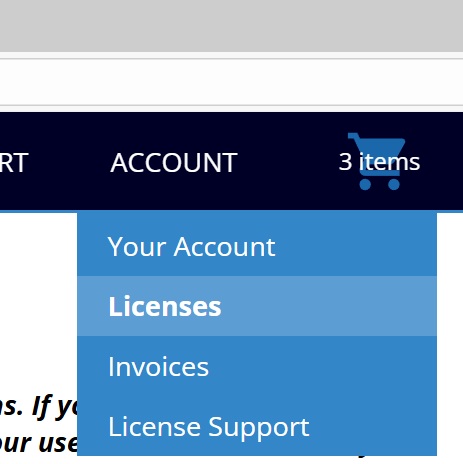
Simply go to your account and select Licenses:
 Locate the button Subscription for the product and press on it: It will pop up a cancel subscription panel.
 This will bring you to a Stripe panel. Stripe is the company that does credit card processing for this.
We noticed some issues with some debit card not allowing recurrent payment. If you get such notice, you can reactivate your subscription in your account:
This will bring you to a Stripe panel. Stripe is the company that does credit card processing for this.
We noticed some issues with some debit card not allowing recurrent payment. If you get such notice, you can reactivate your subscription in your account:
 If there is an issue, please contact immediately sales@revisionfx.com for assistance so we can help.
Thank you
If there is an issue, please contact immediately sales@revisionfx.com for assistance so we can help.
Thank you
Locate the button Subscription for the product and press on it: It will pop up a cancel subscription panel.
This will bring you to a Stripe panel. Stripe is the company that does credit card processing for this.
We noticed some issues with some debit card not allowing recurrent payment. If you get such notice, you can reactivate your subscription in your account:
If there is an issue, please contact immediately sales@revisionfx.com for assistance so we can help.
Thank you