
Lens conversions, projections and stabilization for 360 VR and fisheye footage.
RE:Lens in Action
RE:Lens Overview
See what RE:Lens™ can do for you!
RE:Lens’ stabilization overview
RE:Lens 360 VR and fisheye stabilization.
Also view before/example 360 movie.
Feature currently not available for Premiere Pro.
Home View
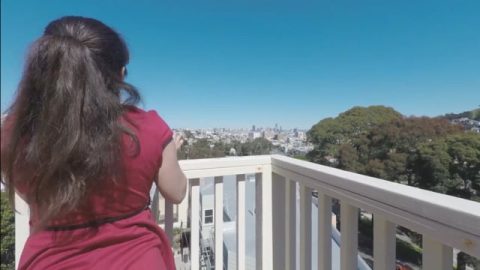
Short dance reframed/composed and camerawork with RE:Lens.
Camera: Back-Bone modified GoPro with Entapano 280 deg. fisheye lens
Directed by: Peter Litwinowicz
Choreography: a collaboration of Peter Litwinowicz, Lizz Roman and the dancers (Chris Black, Megan Lowe, Rowena Richie)
Music: Daniel Berkman
RE:Lens Features
Single camera 360 video made easy
Shoot with a single camera with a superfish lens and convert the video to LatLong format suitable for use with 360 VR viewers. With the proper lens and camera setup, stitching can often be eliminated from your 360 workflow.
More uses for superfish high-res imagery
Capture super wide-angle shots with large resolution, then straighten and animate camera rotations and zooms in post, providing greater flexibility when directing the viewer’s attention. Even create two separate virtual views using a single camera!
Feature Specs
High quality filtering
Option to automatically soften or sharpen adaptively (depending on how the projection squeezed or stretched that section of the image).
Learn how to use RE:Lens’s features
Instructional videos, and example videos, that help you learn how to get the most of each plug-in's robust features.
Download
Try RE:Lens for Free
RE:Lens v2 – OFX Hosts
RE:Lens v2 – OFX Hosts
TRIAL DOWNLOAD & LICENSE COMPATIBILITY
When you download a RE:Lens or purchase a RE:Lens license for Mistika it is compatible with the following:
Autograph
Autograph (all versions)
Baselight
5.2.11675 (and up)
Flame
2019.2 (and up)
Fusion Studio
8.0 (and up)
HitFilm
10.0 (and up)
Mistika
(some plugins require 11.1.0 an over)
Natron
2.2.4 (and up)
Nuke
7.0 or Indie 12.2 (and up)
Resolve
15.1.1 (and up)
Scratch
8.6.944 (and up)
Silhouette
6.1.3 (and up)
Fusion Page has a memroy leak when running the Stabilizer, you can use in Color Page instead or the Fusion app.
Purchase RE:Lens
License for Mistika
License works with
After Effects, Autograph, Baselight, Final Cut Pro, Flame, Fusion Studio, HitFilm, Motion, Mistika, Natron, Nuke, Premiere Pro, Resolve, Scratch, and Silhouette.
Additional License Options
We offer several types of licensing options for both our interactive and render-only plug-ins: floating license, non-floating license, and volume license (read the licensing overview for more information). If you are interested in volume licensing or have other questions about these license options, please contact us. All floating licenses require installing our floating license server.
Features, pricing and availability are subject to change without notice.
Interactive license options
Floating Licenses
|
RE:Lens v2
Floating License |
PURCHASE FLOATING LICENSE | |
|
RE:Lens v2
Floating License |
Upgrade from floating pre-v2 | |
|
RE:Lens v2
Floating License |
Upgrade from non-floating v2 to floating | |
|
RE:Lens v2
Floating License |
Upgrade from non-floating pre-v2 to floating |
Render-only license options
Render-only licensing is for use with command-line "headless" execution. Note that the RE:Lens render-only licenses only work on projects written with an interactive license (so you must have at least one standard, floating or Non-Floating interactive license for the render-only licenses to be valid).
Floating Licenses
|
RE:Lens v2 / Render-Only
Floating License |
PURCHASE FLOATING LICENSE | |
|
RE:Lens v2 / Render-Only
Floating License |
Upgrade from floating pre-v2 | |
|
RE:Lens v2 / Render-Only
Floating License |
Upgrade from non-floating v2 to floating | |
|
RE:Lens v2 / Render-Only
Floating License |
Upgrade from non-floating pre-v2 to floating |
Non-Floating Licenses
| RE:Lens v2 / Render-Only | PURCHASE NON-FLOATING LICENSE | |
| RE:Lens v2 / Render-Only | Upgrade from pre-v2 non-floating |